If you’re choosing between Roam Research and Notion for note-taking and personal knowledge management, you’re looking at two very different tools. Each has its strengths and caters to different ways of organising notes and tasks. Let’s break down their features, pricing, and drawbacks to help you decide.
We’ll also look at a third option: Horse Browser, which integrates note-taking directly into the web browsing experience, making it a great fit for researchers and heavy web users.
What is Roam Research?
Roam Research is built around networked thought. Ideas are interconnected through bi-directional links, creating a web of knowledge rather than a rigid hierarchy.
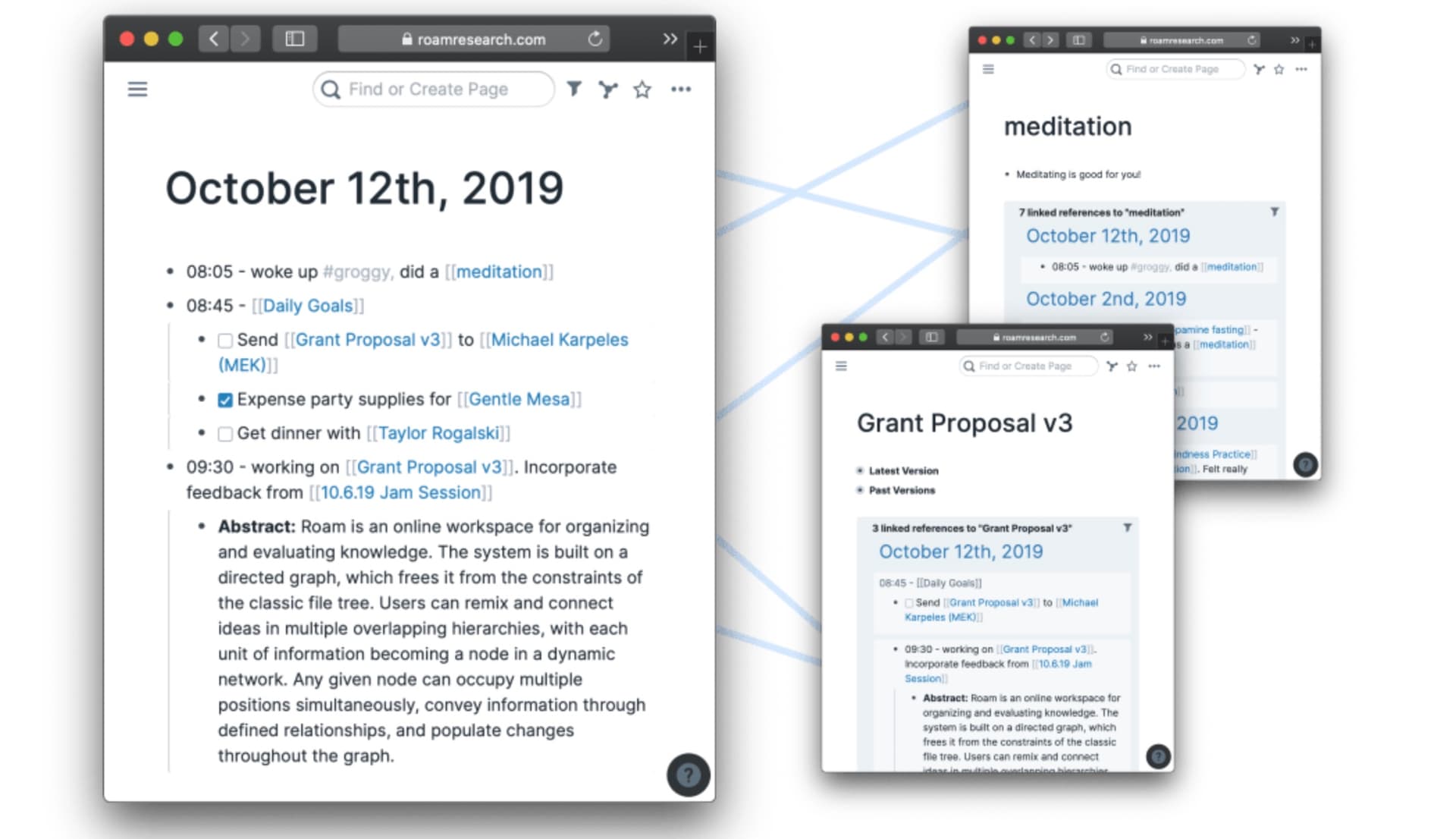
Key Features of Roam Research:
- Bi-Directional Linking: This feature allows for automatic linking between pages and notes in both directions, facilitating a dynamic and evolving web of interconnected ideas.
- Daily Notes: Each day begins with a fresh note, tying daily thoughts into broader themes and projects.
- Graph Overview: A visual representation of your notes as a network graph helps you see the connections and gaps in your knowledge.
- Block References: Embed or reference specific blocks of text from other notes, creating deep connections within your content.
Roam Research is ideal for users who deal with complex, interrelated concepts, making it a favorite among researchers, academics, and professionals working on long-term projects.
Pricing: Roam Research operates on a subscription model, starting at $15 per month or $165 annually. A 5-year plan is available for $500, with custom pricing options for organizations.
What is Notion?
Notion is an all-in-one workspace that combines notes, tasks, wikis, databases, graphs and more into a single, flexible platform. It’s designed for customisation, allowing users to structure their workspace according to their own unique needs using pages and blocks.
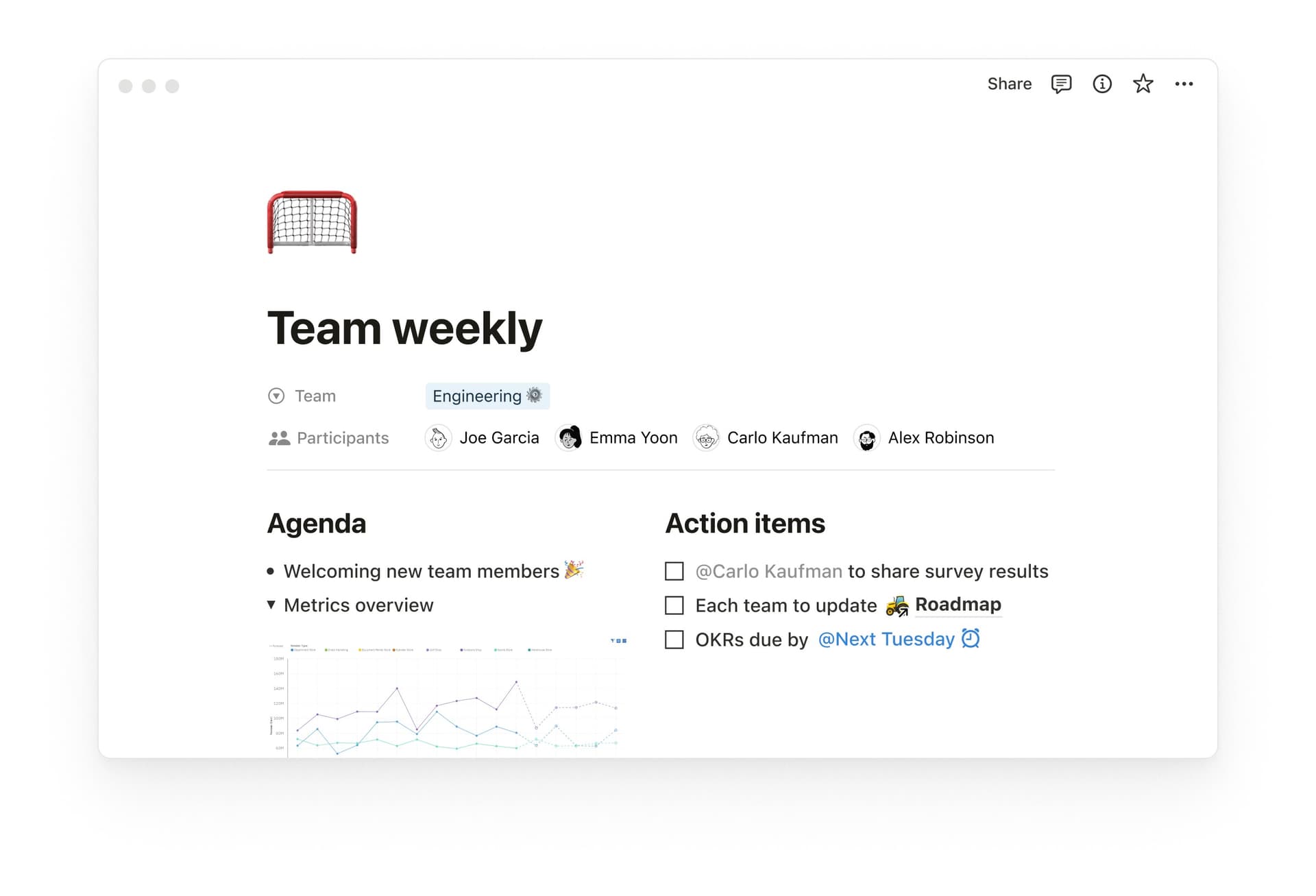
Key Features of Notion:
- Databases: Create custom tables, boards, graphs, and lists to organise structured data, such as projects and tasks.
- Templates: Access pre-built templates or create your own to streamline workflows and maintain consistency across your pages.
- Collaboration: Share pages, databases, and workspaces with teammates, allowing for real-time collaboration and granular permission controls.
- Task Management: Integrate calendar events, task lists, reminders, and progress tracking directly into your pages to effectively manage your tasks.
Notion excels in collaborative environments, making it a go-to tool for teams managing projects, processes, and information across an organisation.
Pricing: Notion offers a free plan with paid options for teams starting at $9.50 per user per month. The free plan is generous, but additional features and higher storage limits come with paid subscriptions.
Roam Research vs Notion: Key Differences
While both Roam Research and Notion are powerful tools, they cater to different needs and preferences:
- Collaboration: Roam Research is primarily web-based and supports real-time collaboration, which is excellent for team projects. Notion, however, was built with team collaboration in mind from the ground up, offering features like shared workspaces and permissions management.
- Structure: Roam Research promotes a non-linear, free-form approach where the organization emerges naturally through links. In contrast, Notion encourages a more traditional, linear structure with folders and databases, while still supporting dynamic linking and organisation.
- Customisation: Roam Research offers a streamlined experience focused on creating a network of ideas, while Notion is highly customisable, with numerous templates, views, and integrations to tailor the platform to your specific workflow.
- Pricing: Roam Research is a more premium option, with a higher starting price point, whereas Notion offers a free tier with sufficient features for individual use and competitively priced team plans.
Notion is ideal for structured, collaborative workflows with its flexible, all-in-one workspace, while Roam Research excels for non-linear, networked thinking, making it better suited for deep, individual research and complex idea mapping. Both tools, however, require operating within a separate application outside your web browser.
Exploring an Alternative: Horse Browser
If you find yourself constantly switching between your browser and note-taking apps, Horse Browser offers a different approach. It integrates note-taking directly into the web browsing experience, so you can organise and annotate your online research without leaving the browser.

Instant access to online references and information
Key Features of Horse Browser:
- Organize Webpages into ‘Trails’: Horse Browser saves your online research journeys, organizing them into nested ‘Trails’ within your browser’s sidebar, perfect for deep dives into topics.
- In-Browser Notes: Add notes directly in your browser, keeping all your thoughts and web content together in one place.
- Visual Knowledge Tracker: See how your saved pages and notes connect visually, helping you understand your research pathways.

In-browser note-taking for those a-ha moments
Advantages: Horse Browser simplifies your workflow by removing the need for separate note-taking apps and keeping your research in the browser.
- Simpler workflow: No need to transfer links and notes between apps; everything stays in your browser.
- Focused organisation: Trails keep your saved web pages and notes organised by topic, project, or research area.
- Enhanced privacy: Your data remains on your device, not stored in a cloud, and Horse Browser is supported by users rather than through data monetisation.
Pricing: Horse is a user-supported, paid-for product, but users can pay a one-time fee for lifetime access, making it a very cost-effective solution for researchers and heavy web users.
Conclusion
Both Roam Research and Notion are strong tools for managing information, but they take very different approaches. Roam Research is best for those who prefer networked, non-linear thinking, ideal for researchers and academics. Notion excels in structured, collaborative environments, making it a great choice for teams and individuals who want flexibility and customisation.
If you spend a lot of time doing online research, Horse Browser offers a different approach by integrating note-taking directly into the browsing experience, keeping everything in one place.
The right tool depends on your needs and workflow. Whether you choose Roam Research, Notion, or Horse Browser, you’ve got solid options for building your ideal knowledge base.




