The best browser for research depends on which part of research creates the most work. Microsoft Edge is excellent for reading and marking up PDFs. Vivaldi is excellent for arranging pages, taking notes, and building a highly customised research cockpit. Horse Browser is built for following sources through a branching path and returning later without reconstructing how you got there.
Research is rarely a straight line. One paper cites another, an unfamiliar term opens a third branch, and the useful source appears somewhere between a JSTOR search and a museum archive with a heroic commitment to 2009 web design. The browser should preserve that shape.
The Best Research Browsers at a Glance
| Browser | Best for | What to know |
|---|---|---|
| Horse Browser | Branching research and re-entry | Trails automatically preserve where every page came from. Desktop only, with three extensions supported in the 3.3 beta. |
| Microsoft Edge | PDFs, read-aloud, and Microsoft services | Strong built-in reading and PDF tools inside a familiar Chromium browser. |
| Vivaldi | Custom layouts, tab tiling, and notes | Deep customisation rewards researchers who enjoy building their own setup. |
Horse Browser: Best for Branching Research
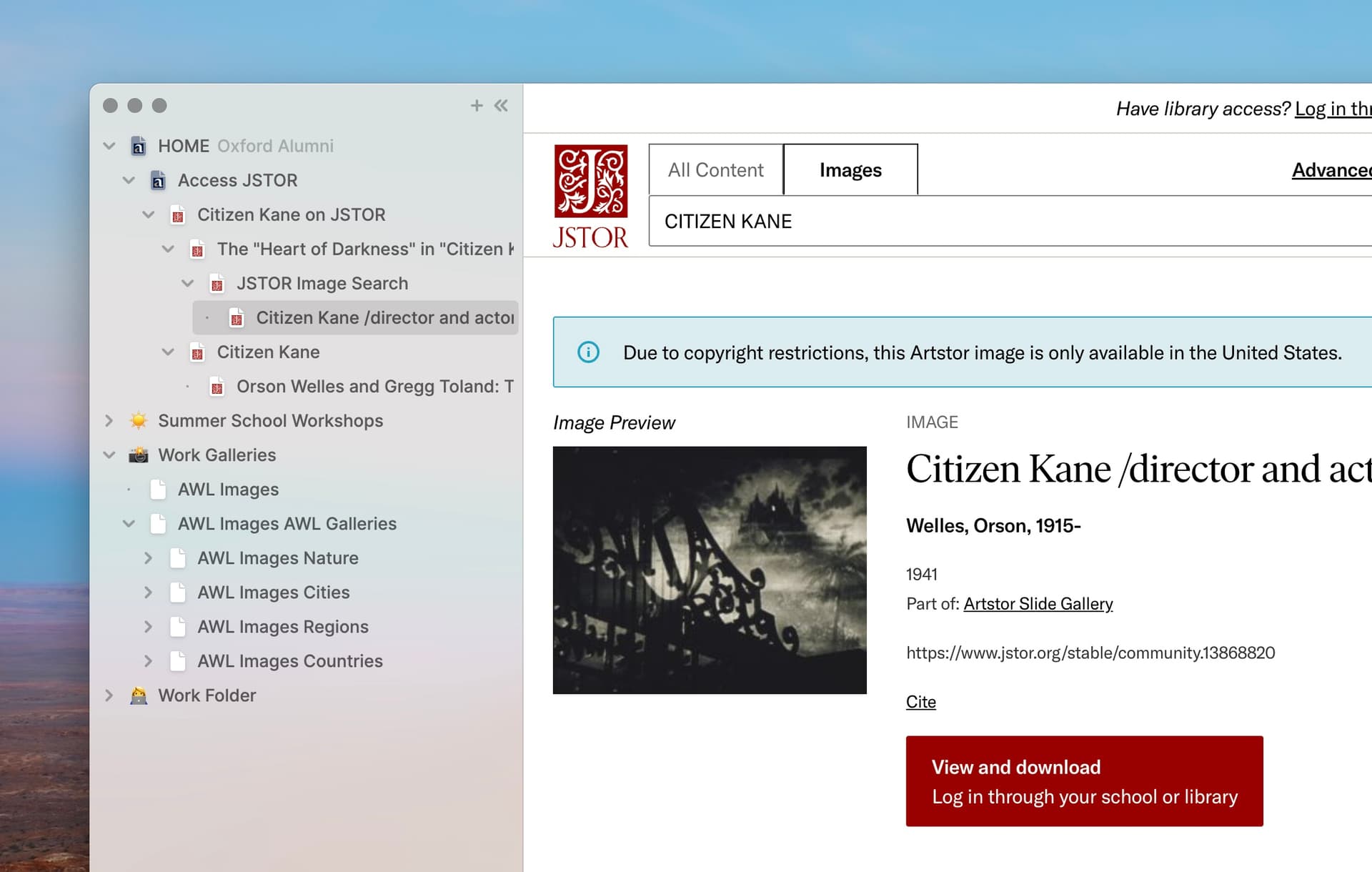
Horse replaces tabs with Trails. Click a source and it branches beneath the page you came from. Follow a citation and the next page branches again. The sidebar becomes a visible record of the argument, detour, and tiny archival miracle that produced your conclusion.
That structure persists when you close Horse. Return tomorrow and the paper, its citations, your side branch, and the page you meant to read next are still in the same relationship. This is the important distinction: Horse does not ask you to organise the research before it can preserve it. The map draws itself while you browse.
Useful research features include:
- Persistent Trails: Pages, parent-child relationships, and open context survive restarts.
- Folders and Trailheads: Group a project deliberately when it becomes large enough to deserve a small government.
- Built-in Notes: Keep a thought or quotation beside the pages that produced it.
- Markdown export: Drag a Trail out of Horse and its links, notes, and hierarchy land as plain text in your writing or notes app.
- Multiple windows: Open different pages from the same shared set of Trails across two screens.
Horse is an annual paid browser for Mac, Windows, and Linux. It is the strongest fit when the research problem is re-entry: you get pulled away, come back, and need the whole path rather than a bag of saved links.
Try Horse free for two weeks. Use it on a real research question, close it, and reopen it tomorrow. The computer will have remembered the map with indecent enthusiasm.
Microsoft Edge: Best for Reading and PDFs
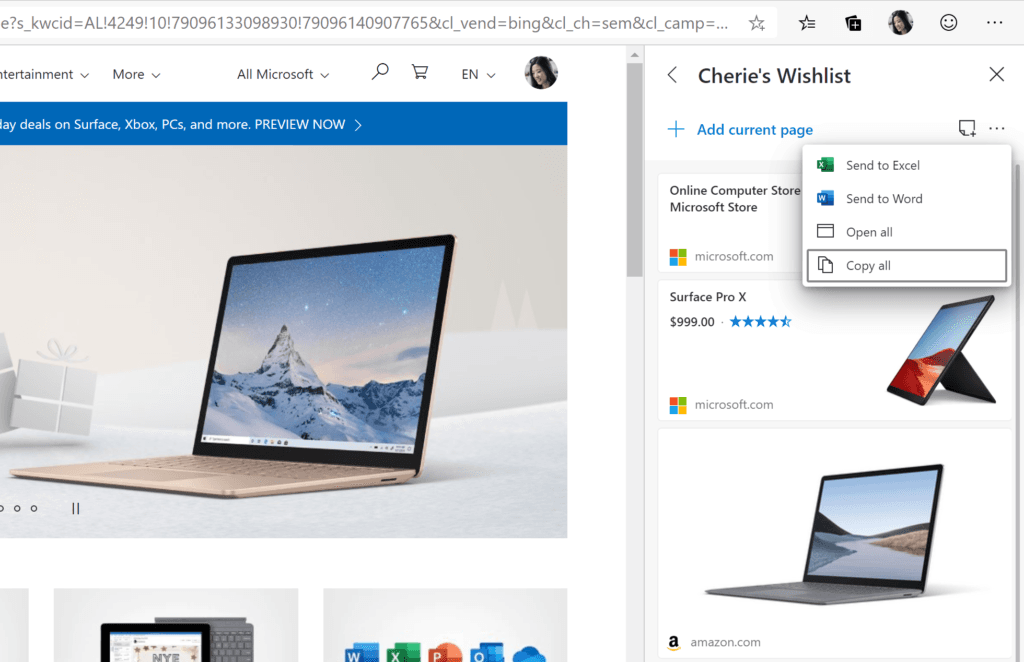
Microsoft Edge is an excellent research browser when papers, reports, and long reading sessions dominate the job. Its built-in PDF tools let you read, highlight, and annotate without opening a separate app. Immersive Reader can simplify a page, adjust text presentation, and read the text aloud.
Collections provide a deliberate place to save and group pages with notes. Vertical tabs make a large open set easier to scan, and Edge fits naturally if your institution already uses Microsoft accounts and services.
Choose Edge when you want a free, familiar Chromium browser with strong document tools. Its research organisation is deliberate: you decide what belongs in a Collection and maintain it there.
Vivaldi: Best for a Custom Research Cockpit
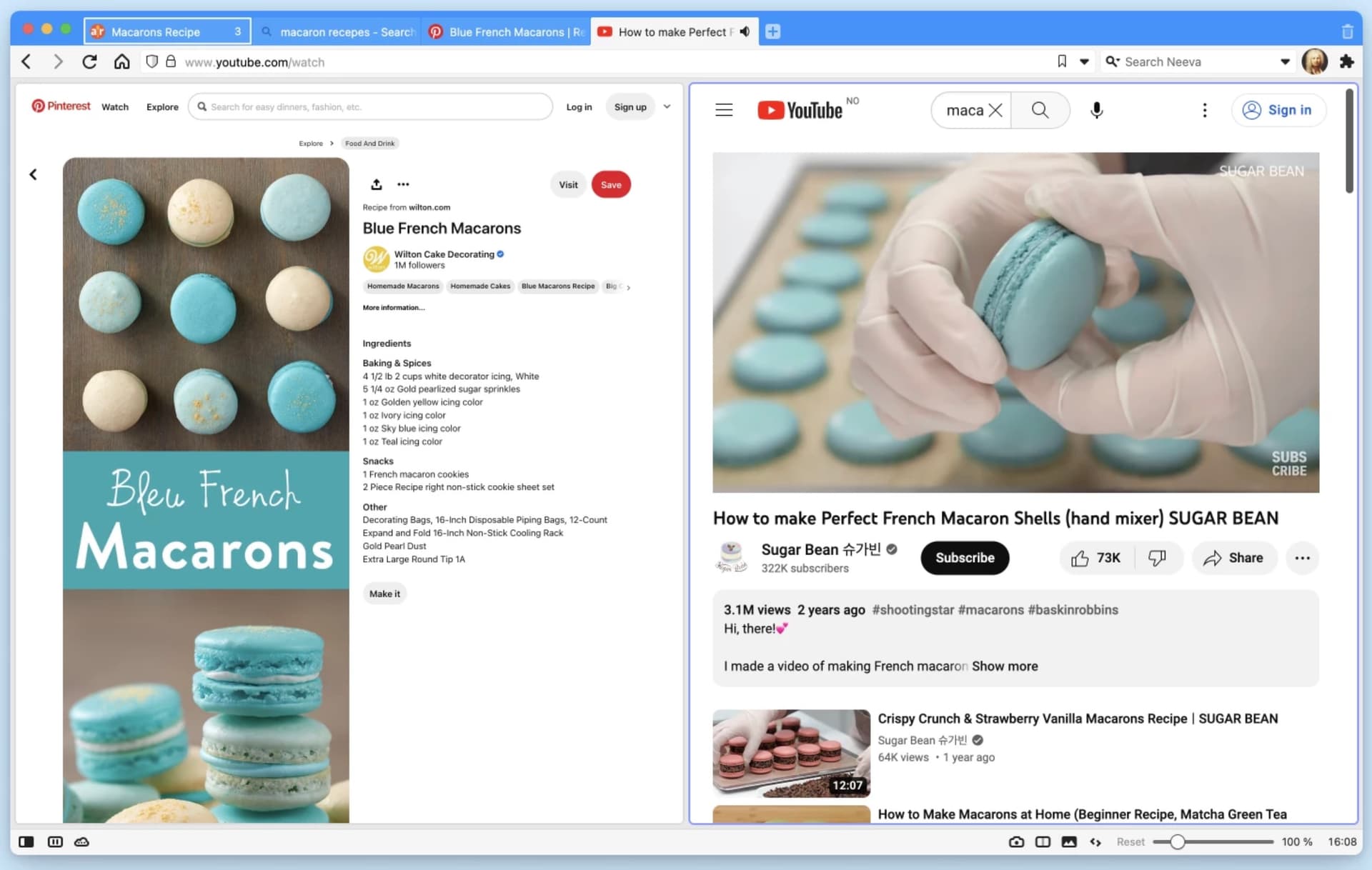
Vivaldi is magnificent for researchers who know exactly how they want a browser arranged. Stack tabs, tile several pages in one window, place the tab bar on any side, create workspaces, define shortcuts, and keep notes inside the browser.
Tab tiling is especially useful for comparing sources or data side by side. Notes can capture selected text and link it back to the source page, while Reader View gives long articles a quieter surface.
The trade-off is simply that Vivaldi offers a great many decisions. If tuning the environment supports the work, enjoy the cockpit. If tuning becomes the work, choose a browser with stronger defaults and begin the research before your toolbar achieves sentience.
What to Look for in a Research Browser
Start with the research job:
- Following citations and returning later: Choose automatic path preservation.
- Reading and annotating PDFs: Choose strong document tools.
- Comparing several pages at once: Choose tab tiling or multiple windows.
- Capturing quotations and ideas: Choose notes that retain the source.
- Moving the work into another app: Choose an open export format.
- Using a specialist extension: Confirm that the browser supports it before moving.
Chrome, Firefox, Safari, Edge, Vivaldi, and Horse are all good browsers. The useful difference is not which one wins a universal trophy. It is which one externalises the part of research you are currently making your brain carry.