The best productivity browser is the one that removes a real piece of work. Horse Browser preserves tasks across interruptions. Microsoft Edge gives documents, PDFs, and Microsoft services a capable home. Vivaldi turns the browser into a deeply customisable command centre.
“Productivity” is too broad to choose software by itself. One person needs a quieter reading view, another needs six pages tiled together, and someone with ADHD needs the task to survive when a link or interruption carries them elsewhere. Name the job first and the useful browser becomes much easier to spot.
The Best Productivity Browsers at a Glance
| Browser | Best for | What to know |
|---|---|---|
| Horse Browser | Returning to tasks after interruption | Trails automatically preserve the browsing path. Desktop only, with three extensions supported in the 3.3 beta. |
| Microsoft Edge | PDFs, reading, and Microsoft services | Strong built-in document tools inside a free Chromium browser. |
| Vivaldi | Custom workspaces, tab tiling, and shortcuts | Nearly every part of the interface can be tuned, which is both the gift and the project. |
Horse Browser: Best for Task Re-entry
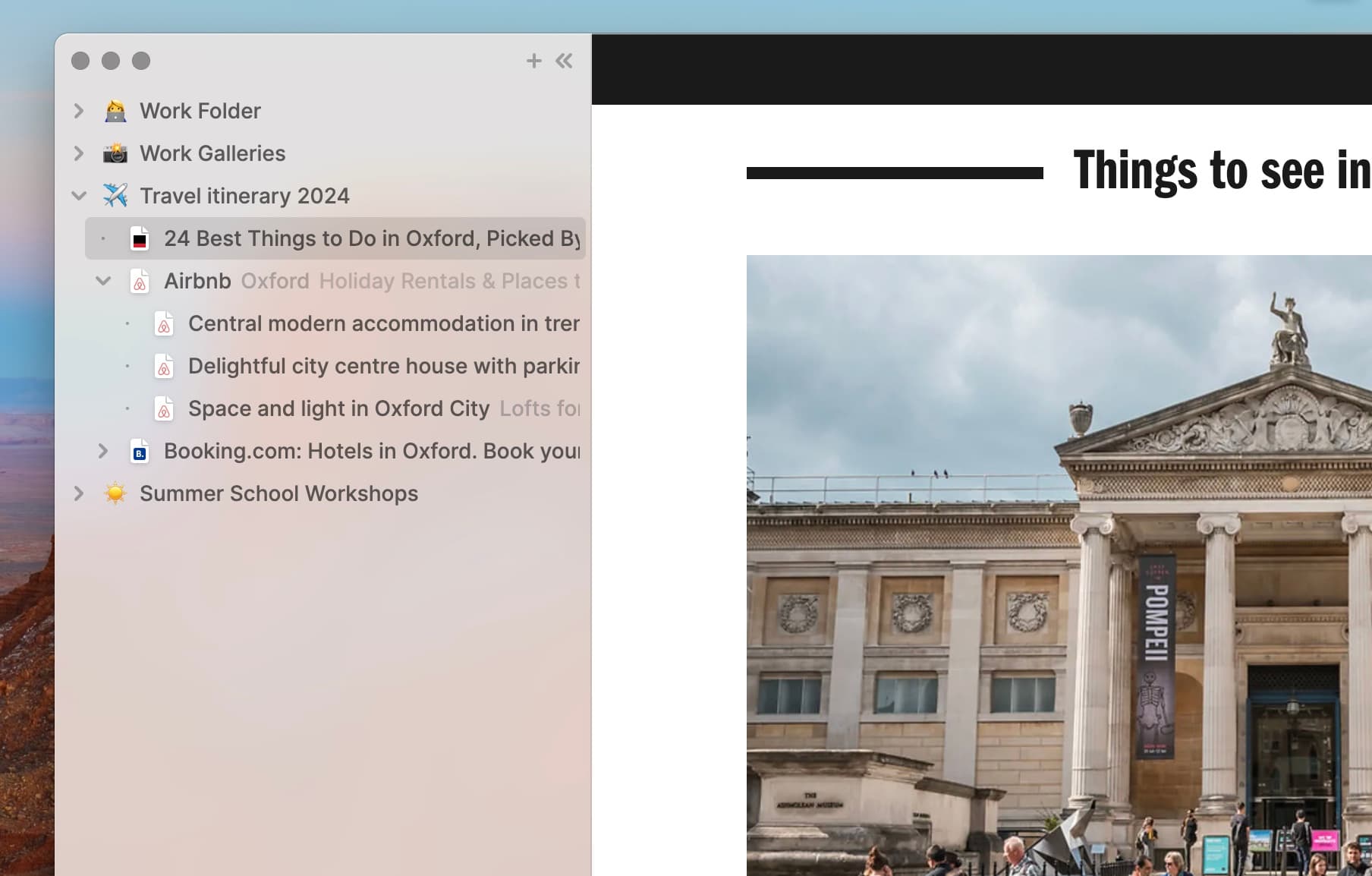
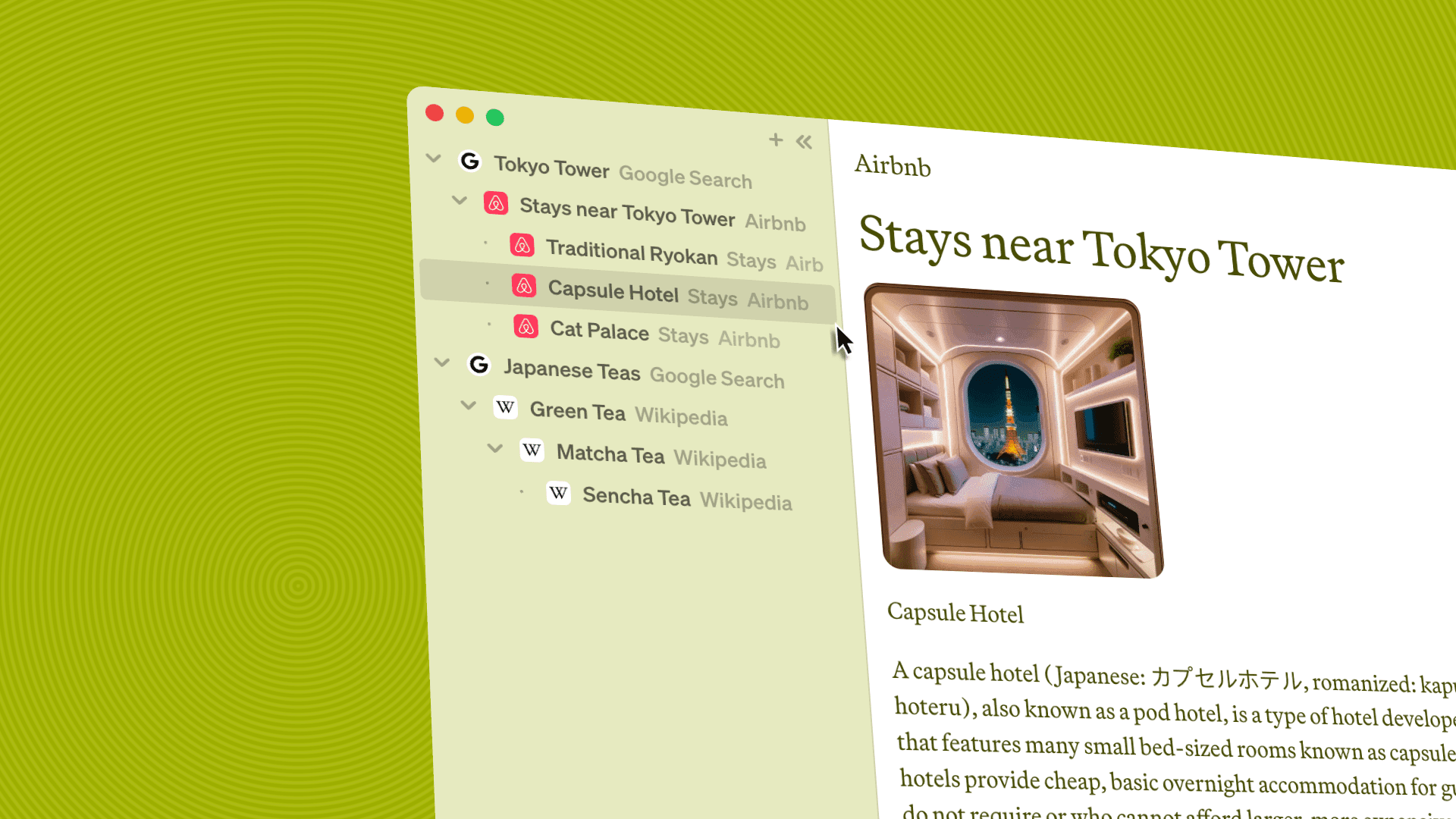
Horse replaces tabs with Trails. Click a link and it branches beneath the page you came from. The original task, the tangent, and the route between them remain visible in the sidebar.
That makes Horse useful when context switching is not optional. Fold one project, answer the urgent message, then expand the original Trail tomorrow with every page where you left it. You do not have to remember what the tabs meant because the structure is on screen, enjoying a successful new career as externalised executive function.
Useful work features include:
- Persistent Trails: Tasks and context survive updates, restarts, and sleep.
- Folders and Trailheads: Group work without closing pages or exporting a session.
- Built-in Notes: Keep a reminder or thought inside the Trail where it belongs.
- Markdown export: Drag a Trail into a document, email, or notes app as a linked outline.
- Multiple windows and keyboard navigation: Use one shared map across screens and move through it without the mouse.
Horse is a paid annual browser for Mac, Windows, and Linux. It is the strongest fit when the browser-specific problem is re-entry, not when you need the world’s largest extension catalogue.
Try Horse free for two weeks. Put one actual project in it, get interrupted in the traditional manner, and see what happens when the route back is waiting.
Microsoft Edge: Best for Documents and Microsoft Services
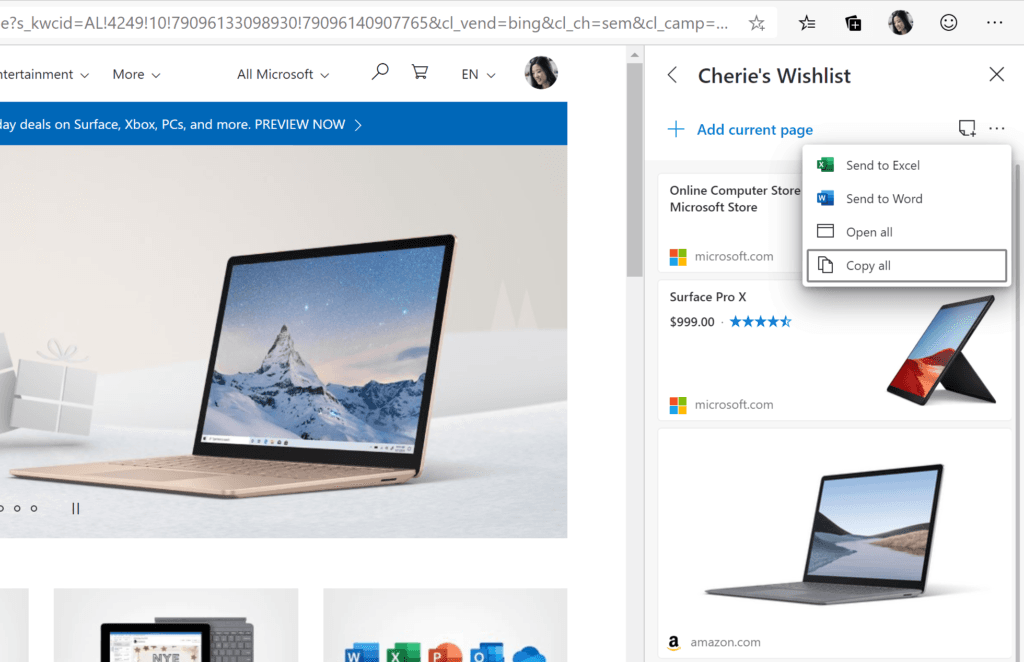
Microsoft Edge is excellent when the work already lives in Microsoft’s world. Its PDF reader supports annotations and read-aloud, Immersive Reader can simplify web pages, vertical tabs make a busy session easier to scan, and Collections provide deliberate groups for pages and notes.
Edge is free, familiar, compatible with Chrome extensions, and integrated with Microsoft accounts. Choose it when document handling and institutional compatibility matter more than changing the underlying tab model.
Vivaldi: Best for Building Your Own Cockpit
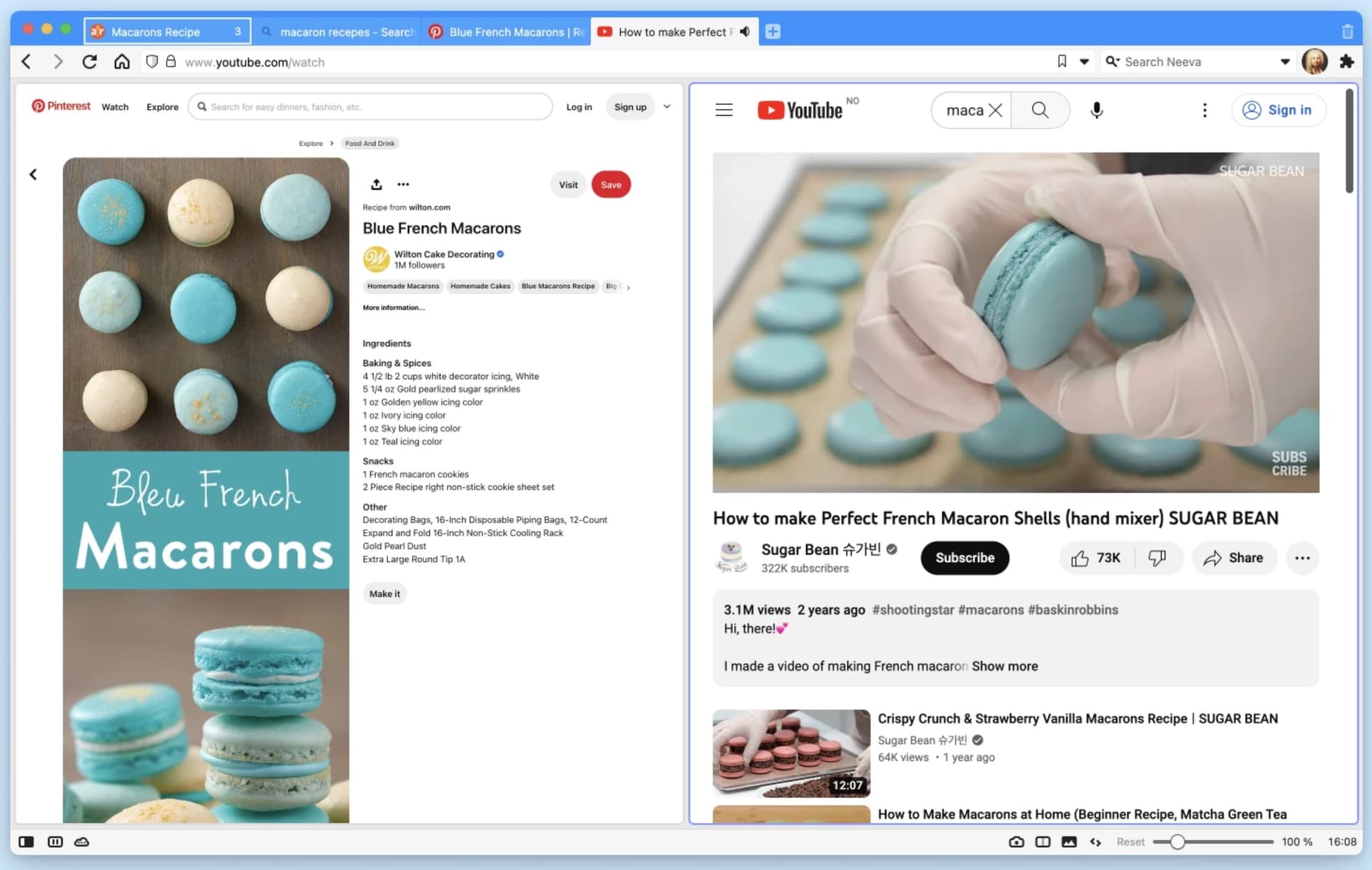
Vivaldi is excellent for people who know exactly how their browser should behave. Stack tabs, tile pages, create workspaces, capture notes, move toolbars, write command chains, and assign shortcuts to nearly everything.
That level of control can externalise a very personal way of working. It can also become an absorbing hobby with excellent icons. Both outcomes are respectable, but only one may have been on today’s list.
What Makes a Browser Productive?
Look for a browser that moves one of these jobs out of your head:
- Re-entry: Can you resume a task without reconstructing the session?
- Reading: Can long pages and PDFs become easier to consume?
- Comparison: Can you keep several relevant pages visible at once?
- Organisation: Does useful structure appear automatically, or do you enjoy maintaining it?
- Capture: Can notes and tasks leave the browser in a useful format?
- Compatibility: Does the browser support the sites, extensions, and operating systems your work requires?
Edge, Vivaldi, and Horse are all excellent at different jobs. Pick the one that removes the invisible work around your work. The computer has been waiting its whole life for additional responsibilities!