The best browser for academic research is the one that preserves the evidence around your argument. Horse Browser keeps citation paths visible across days. Microsoft Edge has excellent built-in PDF and reading tools. Vivaldi gives you deep control over page layout, notes, workspaces, and shortcuts.
A literature review can cross Google Scholar, JSTOR, library catalogues, datasets, PDFs, footnotes, and the one institutional repository that only reveals the download button after a ceremonial dance. The browser sits beneath all of it, so its navigation model matters.
The Best Academic Research Browsers at a Glance
| Browser | Best for | What to know |
|---|---|---|
| Horse Browser | Long-running literature reviews and citation paths | Trails preserve the relationship between sources automatically. Desktop only, with three extensions supported in the 3.3 beta. |
| Microsoft Edge | Reading, highlighting, and annotating PDFs | Strong document tools inside a free, familiar Chromium browser. |
| Vivaldi | Side-by-side sources and custom research setups | Powerful tab tiling, workspaces, notes, and shortcuts, with more setup decisions. |
Horse Browser: Best for Citation Trails and Re-entry
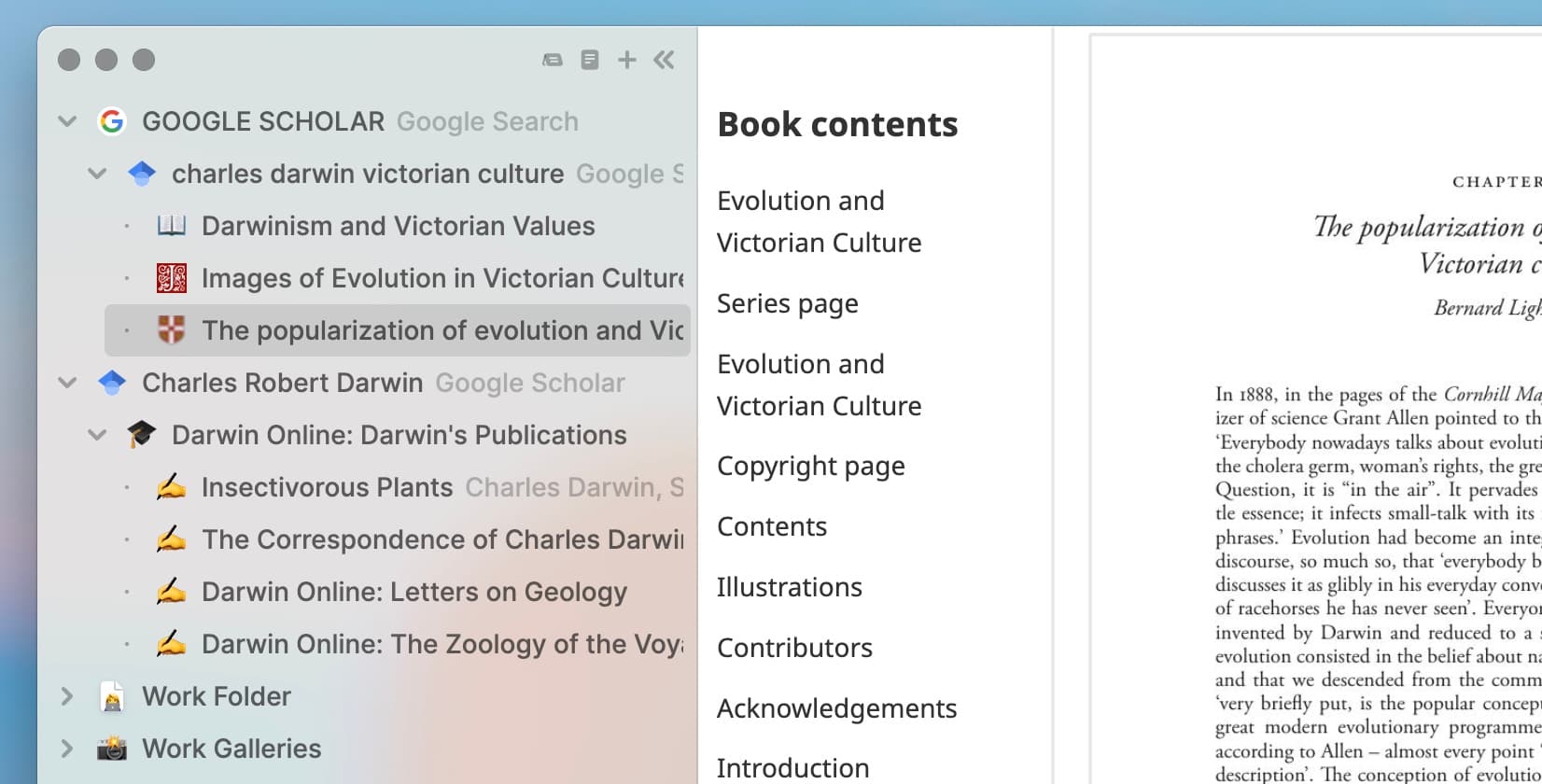
Horse replaces tabs with Trails. Open a result from Google Scholar and it branches beneath the search. Follow a citation and the cited paper branches beneath the first. The sidebar records the route automatically, so provenance remains visible while the argument grows.
This matters most after interruption. Close Horse at the end of the day and reopen it with every Trail, folder, page, and relationship intact. You can return to the same intellectual neighbourhood without remembering which of forty favicons contained the useful objection.
Academic research features include:
- Persistent Trails: The paper, its references, and your side investigations keep their structure across restarts.
- Built-in Notes: Store a quotation, interpretation, or warning beside the relevant sources.
- Markdown export: Drag a Trail into your notes or draft as a linked, indented outline.
- Folders and Trailheads: Separate chapters, themes, methods, or arguments without closing their sources.
- Multiple windows: Read one source on a second display while navigating the shared Trail elsewhere.
Horse does not replace a reference manager. Zotero is excellent at citations, metadata, and bibliographies, and you should keep using it for those jobs. Horse adds the route through the web that produced the source set.
Try Horse free for two weeks. Build one Trail from a real research question, return tomorrow, and see whether the preserved route saves you from reconstructing yesterday.
Microsoft Edge: Best for PDFs and Accessible Reading
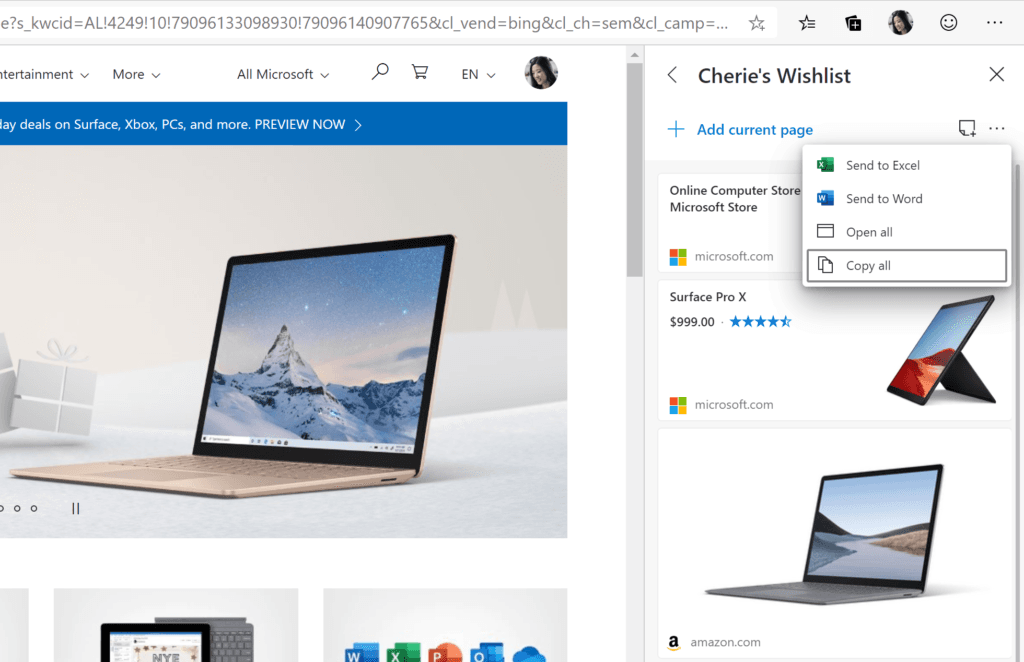
Microsoft Edge is excellent for academic work that revolves around PDFs. Its built-in reader supports highlighting, drawing, notes, and read-aloud without sending the document into another app. Immersive Reader can simplify web pages and adjust the reading presentation.
Collections let you deliberately save sources into named groups with notes, while vertical tabs make a busy reading session easier to scan. Edge is a natural fit when your university already lives inside Microsoft accounts and you want document tools with almost no setup.
Vivaldi: Best for Comparing Sources
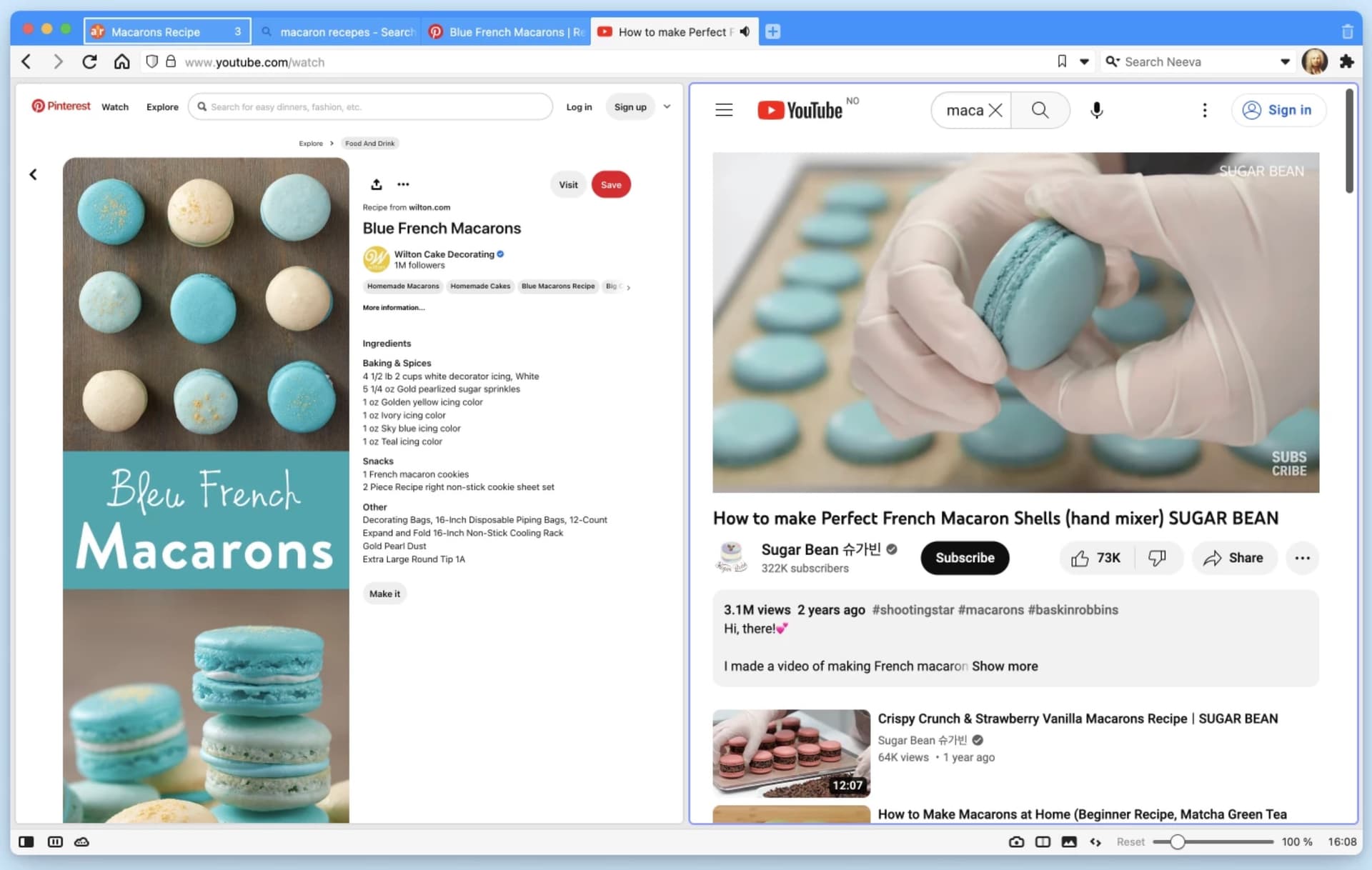
Vivaldi is excellent when the work needs several sources visible at once. Tab tiling places pages side by side, workspaces separate projects, Notes capture selected text with its source, and the interface can be rearranged around your methods.
Researchers who enjoy customisation can build an extraordinary instrument. Researchers who would rather begin reading can choose a simpler default and return when the urge to engineer a command deck becomes academically defensible.
What to Look for in an Academic Research Browser
Choose according to the cognitive job:
- Provenance: Can you see where a source came from and which search or paper led to it?
- Re-entry: Will the research context survive sleep, a restart, and a week away?
- PDF support: Can you read and annotate the documents your field actually uses?
- Source comparison: Can you place competing claims or datasets side by side?
- Notes and export: Can ideas leave the browser in a useful, open format?
- Extensions: Does the browser support your reference manager, accessibility tool, or institutional requirement?
There is no universal best browser for every academic. There is a best browser for the part of academic research that currently consumes effort without improving the work. Give that job to the machine and proceed toward knowledge!