Horse Browser is a new web browser, designed for online research. As you browse, every link opens in a new page and is saved on a Trail, a list of nested pages stored in your sidebar. This means you can keep track of research and say goodbye to the messy tabs you’re used to.
In this blog post, we’ll be sharing a few simple Sidebar hacks to help you understand and get the most out of using Horse Browser.
How does Horse Browser work?
Horse Browser replaces Tabs with its own unique navigation method, named Trails. Every time you click on a link, a new page is opened on the Trail, creating nested pages in your Sidebar that perfectly track your online research.
Trails act as your History, Bookmarks and Tabs in one. You can delete, move, re-name and customise pages in your Trails to efficiently organise your online research.

Why is the Sidebar so important in Horse Browser?
The Sidebar is where the magic happens in Horse Browser. It’s where your Trails of pages are stored.
And it's where you can re-arrange your Trails and pages to create your own filing and productivity system.
How to open the Page Options Menu in the Sidebar
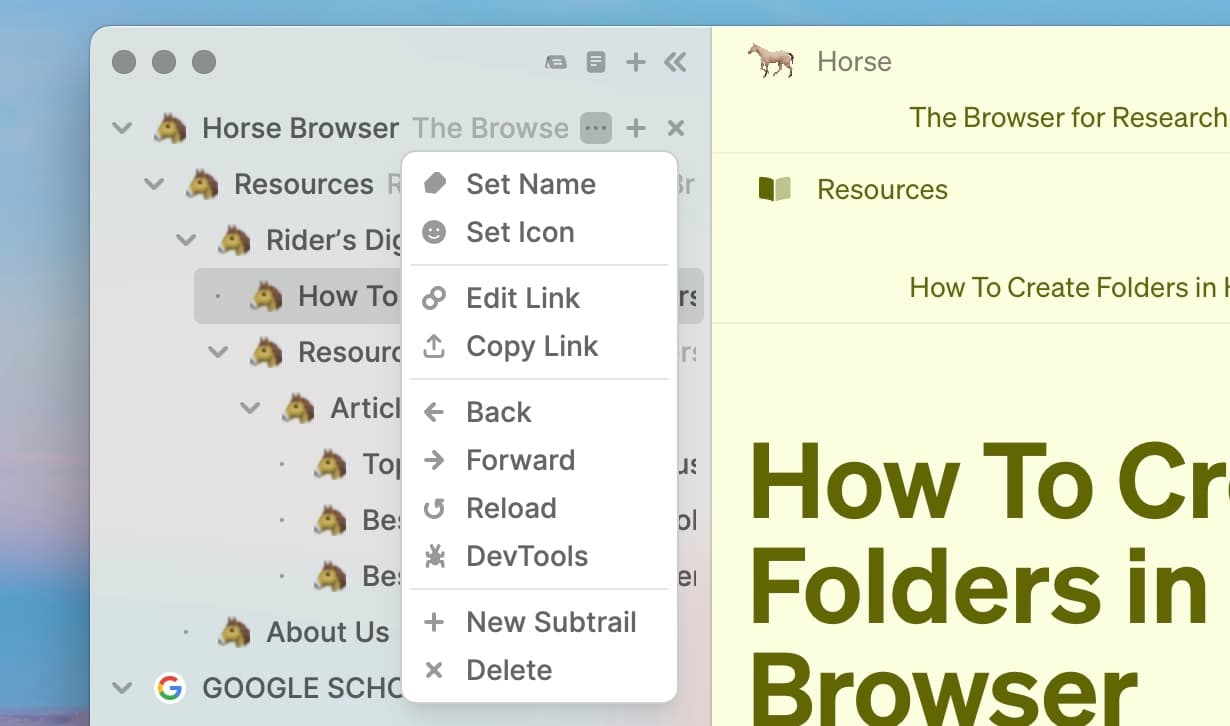
When you right-click a page or click ••• next to a page in the Sidebar, the Page Options menu will appear. It includes many useful features.

You can choose various options in the Menu which initiate the following features:
Edit link - view and change the URL you are currently viewing
Copy link - copy a page’s URL to paste or share
Set name - change the name of a page to its own unique name
Set icon - add a custom icon to a page
Back - navigate back from the current page
Forward - navigate forward from the current page
Reload - reload the current page
Open Page - open a new page on the Trail
Close Page - close the current page
The Layout of the Sidebar
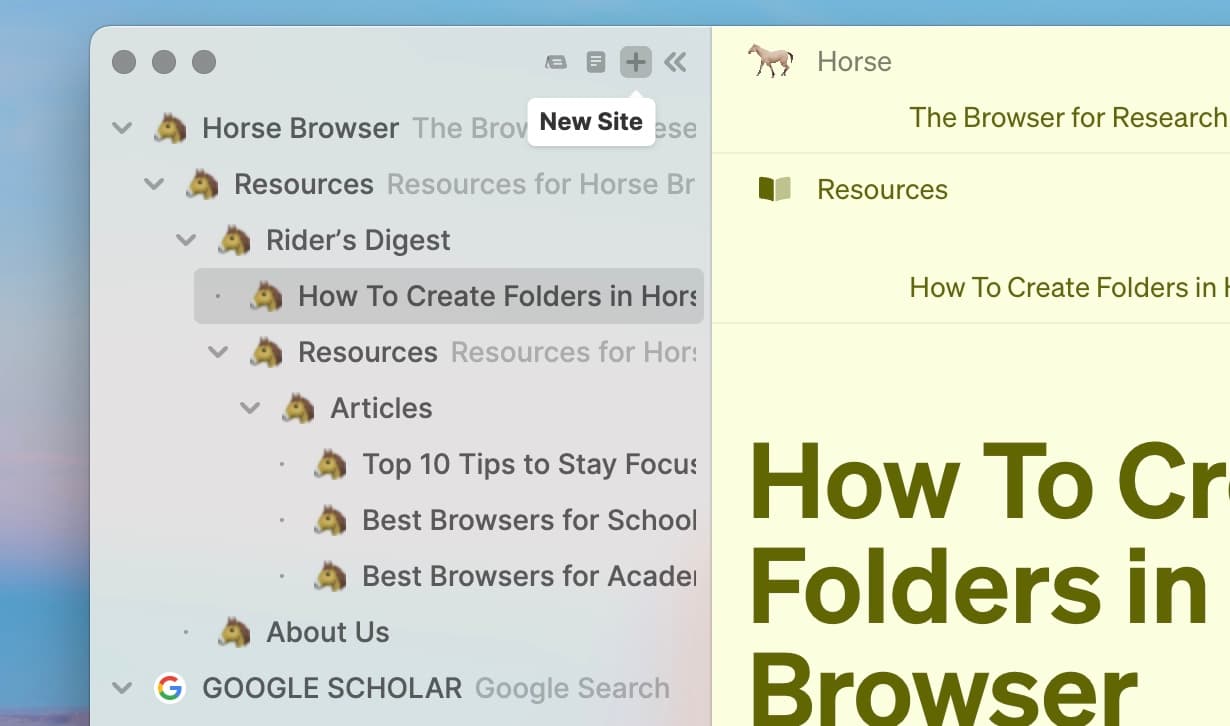
New Trails open by default at the top of your Sidebar, although you can drag-and-drop your pages and Trails to wherever you wish.
To open up a new Trail, click + at the top of the sidebar.

When you view Downloads and History ****in Horse Browser, these will appear as lists at the bottom of your sidebar.
How to hide the Sidebar
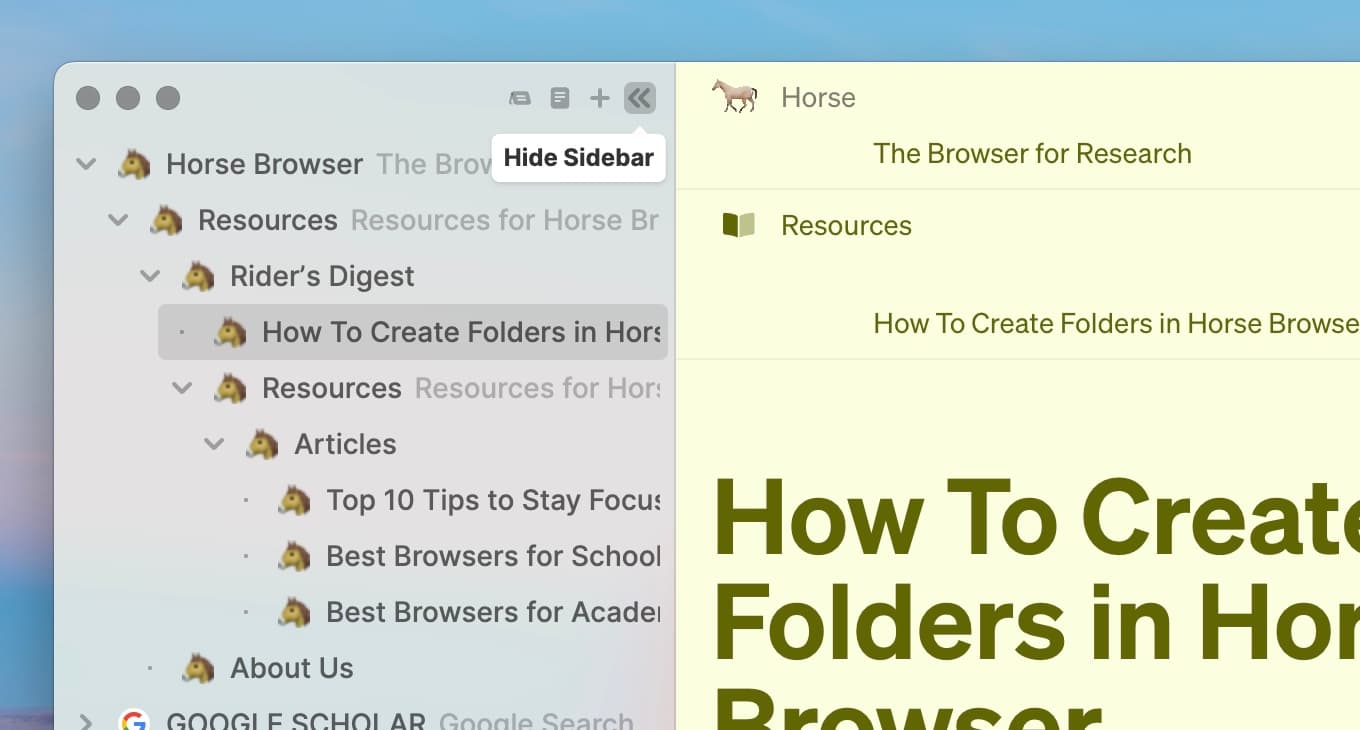
To collapse the sidebar click ‹‹ at the top of the Sidebar

Hiding the Sidebar is a useful option if you want to do some deep focus work on a specific page. Perhaps you need to draft a long email, read a research paper or tweak a design layout. This view will keep you focused.

Hiding the Sidebar gives you plenty of screen real estate and your Trails are waiting for you whenever you expand the Sidebar again.
To learn more
To learn more about Horse Browser, visit here.